What it is
Health Diary is a currently free browser-based diary built by Dr Reza Moazzeni, consultant cardiologist (Heartcare Sydney), for use in his own practice. Patients record home blood pressure and blood glucose readings and keep their medication list on their phone; the diary produces structured PDFs which the patient prints or emails to you before or at a consult. Nothing is installed and there are no passwords — sign-in is an emailed one-time code.
What your patient keeps
Three tools behind one sign-in. Each report describes what the patient recorded and never interprets it.
Blood pressure diary
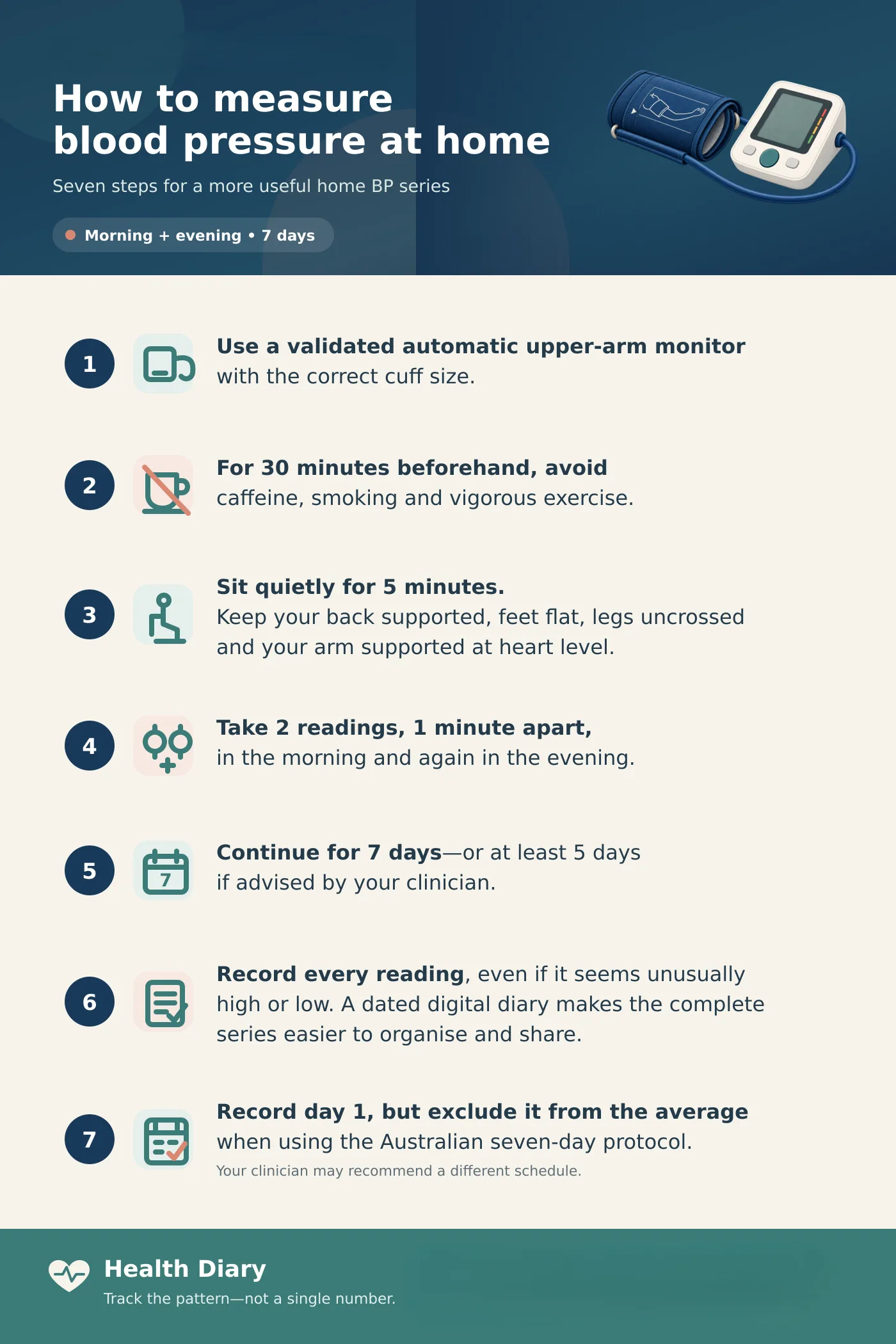
Systolic, diastolic, heart rate and a comment per reading. The patient records the home target you gave them (below 135/85 is used until they do) and each reading is labelled only “Within your target” or “Above your target” — no staging, no interpretation.
- PDF: overall and last-seven-days averages, highest and lowest with dates, morning versus afternoon/evening averages, the share of readings below target, average heart rate, a trend chart with the target lines, and the complete log.
- Readings in mmHg; the target line is descriptive display only.
What the patient sees, and the report they hand you — illustrative numbers.
Blood sugar diary
Readings tagged fasting, before a meal, 2 hours after a meal, bedtime or random. Stored in mmol/L — patients may display mg/dL, reports stay in mmol/L.
- PDF: fasting, after-meal and overall averages, extremes with dates, counts within the general guide values (fasting 4–7, after meals below 10), a table by time of reading, a trend chart and the full log.
- Guide values are labelled as general reference points, not the patient's targets.
Averages by time of reading — illustrative numbers.
Medication list
Name and strength as printed on the box, the amount and frequency in the patient's own words (“1 tablet · Twice daily”), the generic name where it differs, start and stop dates, and a collapsed list of past medicines.
- PDF “My medication list”: current medicines, optionally past ones, and the date the patient last confirmed the list is up to date — a date they set deliberately, never the print date.
- Its footer states that the list is patient-maintained and to be checked against current prescriptions.
- There is no medicines database behind it: nothing is looked up or verified, and nothing records whether a dose was taken.
The one-page medication list — illustrative medicines.
Photo entry, and its limits
On a phone, a patient can photograph the monitor's screen instead of typing the three numbers, or a medicine box or pharmacy label instead of typing the name. The feature is optional and absent on desktop.
- The photo only fills the form. The patient checks it and presses Save, exactly as with manual entry — nothing is saved by the photo itself.
- A digit that cannot be read clearly is left blank, never guessed; values outside the diary's plausible ranges are dropped.
- For medicines, only the name, generic, strength and form are read — never the amount or frequency, and never the directions on a pharmacy label. Loose tablets are refused; nothing is identified from a tablet's appearance.
- The single photo is sent to an image-reading service, on servers outside Australia. No name, email or diary data goes with it, though a pharmacy label can show the patient's name inside the image — patients are asked to cover it or photograph the box. Health Diary never stores the photo; the service does not keep it once it has answered (other than content its safety systems flag or the law requires it to hold) and does not train on it. The privacy policy explains this to patients.
The phone entry card: the photo fills the fields, the patient presses Save.
Optional email reminders
A patient can add an email reminder to a medicine on their list: every week on chosen days, every one to twelve months from a first date, or a one-off date for an injection or appointment with a lead time. There are deliberately no daily reminders. Reminders are off by default, name the medicine only if the patient ticks that option, go to the patient alone, and record nothing — a sent email is not evidence that a dose was taken.
What it deliberately is not
- There is no clinician account, dashboard, monitoring, alerting or automatic transmission of any kind. Only the patient can see their diary, enforced at the database level.
- Recommending it creates no monitoring obligation for you or your practice — nothing arrives unless the patient hands it over.
- The diary displays reference ranges descriptively and never interprets readings, generates alerts, or gives the patient medical advice.
- It is not a medicines database, a dose record or an interaction checker — the medication list is what the patient typed or photographed, and it says so on the page.
- Patients are told, repeatedly and in plain language, that nobody watches their entries and that urgent concerns belong with your rooms or 000.
Suggested wording for patients
“Keep your home readings and your medication list in this diary — healthdiary.au — and bring me the reports at your next visit. It's private: I can't see it, so if anything worries you, call the rooms as usual.”
Practical details
- Blood pressure in mmHg; glucose stored in mmol/L (patients may display mg/dL; reports remain in mmol/L).
- Reports cover a patient-chosen period (last 2 weeks, 30 or 90 days, or everything) — useful when you've asked for a recording block before a review. The medication list PDF is always the current list.
- Patients may add their name to report headers; sign-up itself is email-only. A report without a name carries only the patient's email address — the diary warns them a practice may not recognise it.
- Data hosted in Sydney, Australia; no advertising, no data sale, no trackers. The optional photo read described above is the only step that sends diary content overseas; sign-in and reminder emails and anonymous error reports also pass through overseas services, as set out in our privacy policy.
- Sign-in is by an emailed one-time code — nothing for patients to install and no passwords to reset.
- Patients can export or permanently delete their own data at any time.
Feedback
Health Diary is provided by Heartcare Sydney. Clinical or practical feedback is very welcome: info@heartcare.sydney.
See it as your patient will
Sign in with your own email — the diary looks the same to everyone.
Open the diary